Test your setup (3 of 3): Install packages and report done
This is the last of three short steps. Your setup repository is open in RStudio and Git is configured (from Step 6b). Here you install the workshop packages and open an issue so I can verify your setup.
Step 1: Install the workshop packages
In the workshop, you will work on a small manuscript that uses the washinvestments R data package. Installing the packages now means the manuscript renders in under a minute on the day, and we can spend our time together on Git and GitHub instead of watching progress bars.
In the Files tab (bottom-right pane), click on
03-workshop-packages.Rto open it in the editor. There is nothing to edit in this script.Click the Source button in the top-right corner of the script window. Installing takes a few minutes.
Wait for the installation to finish. If the Console asks a question about updating packages, press Enter.
Check the Console for the line
All workshop packages installed.
Copy the full error message and email it to me. Getting this resolved before the workshop keeps your afternoon free for the interesting parts.
Step 2: Open an issue on GitHub
Open the landing page for the GitHub organization ‘gitforsci-ghe’: https://github.com/gitforsci-ghe (try to use your bookmark)
Navigate down the page to the section “Repositories” and use the search field to find the repository called
setup-USERNAMEwhere USERNAME is your GitHub username.Click on the repository name to open it.
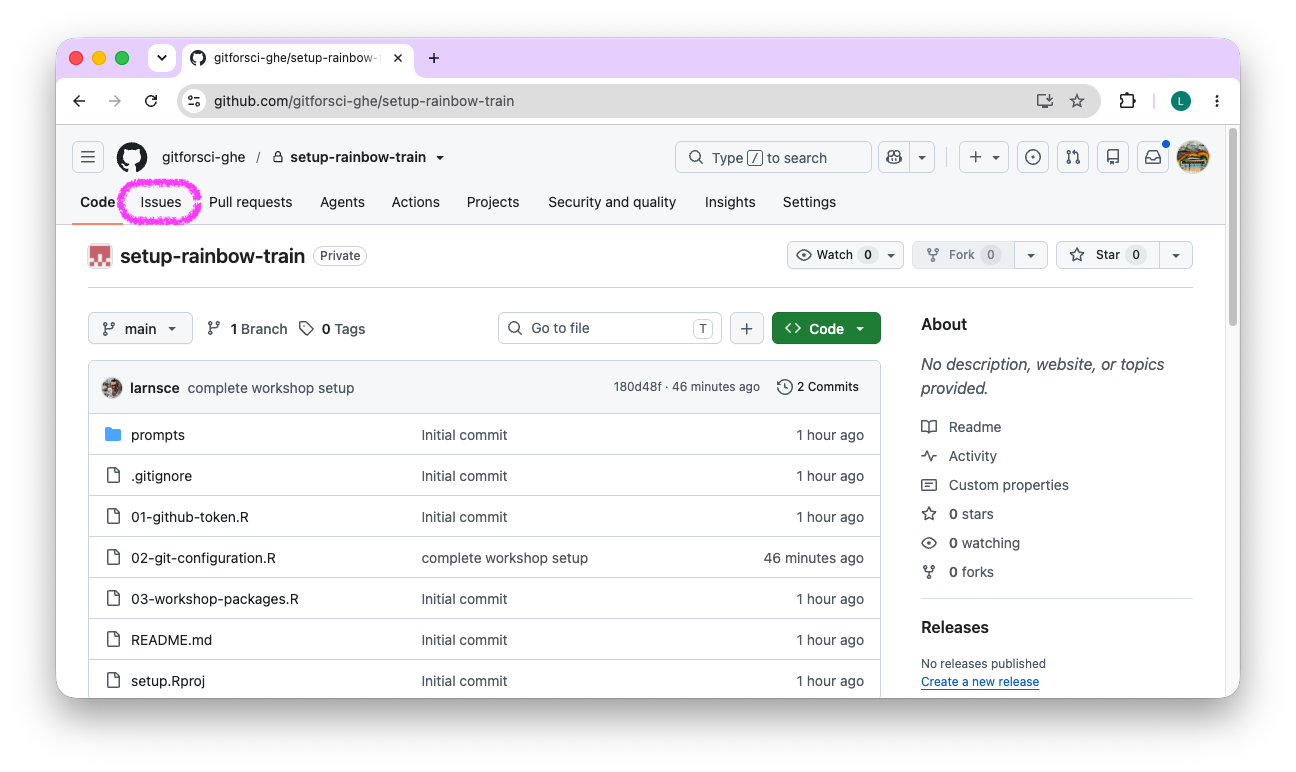
Click on the “Issues” tab.
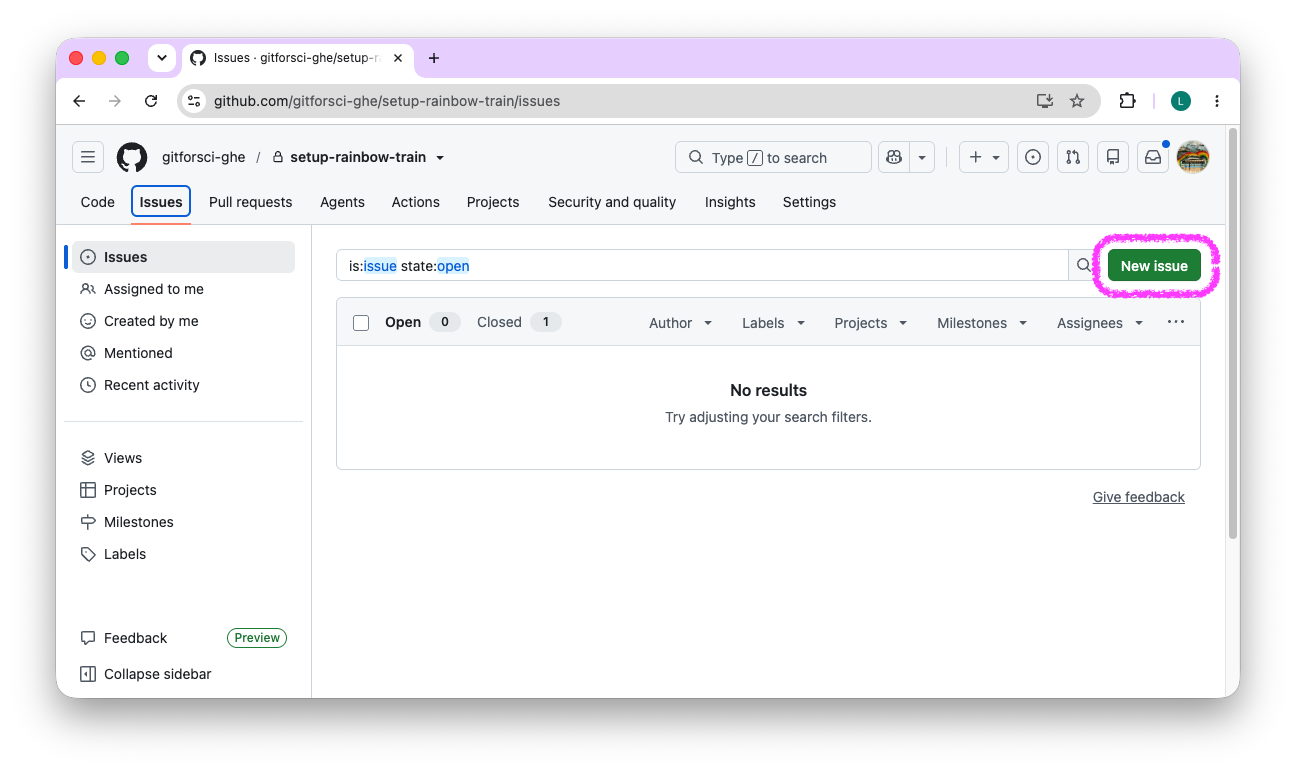
- Click on the green “New issue” button.
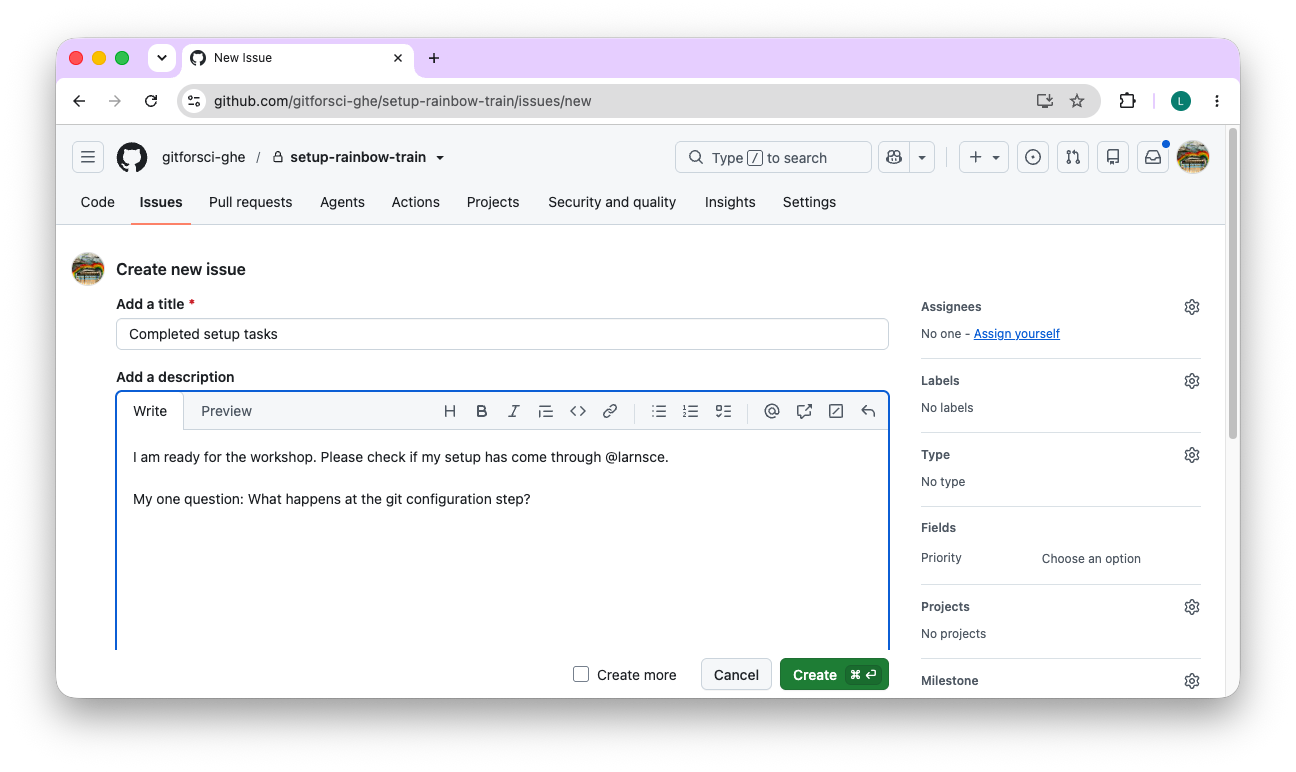
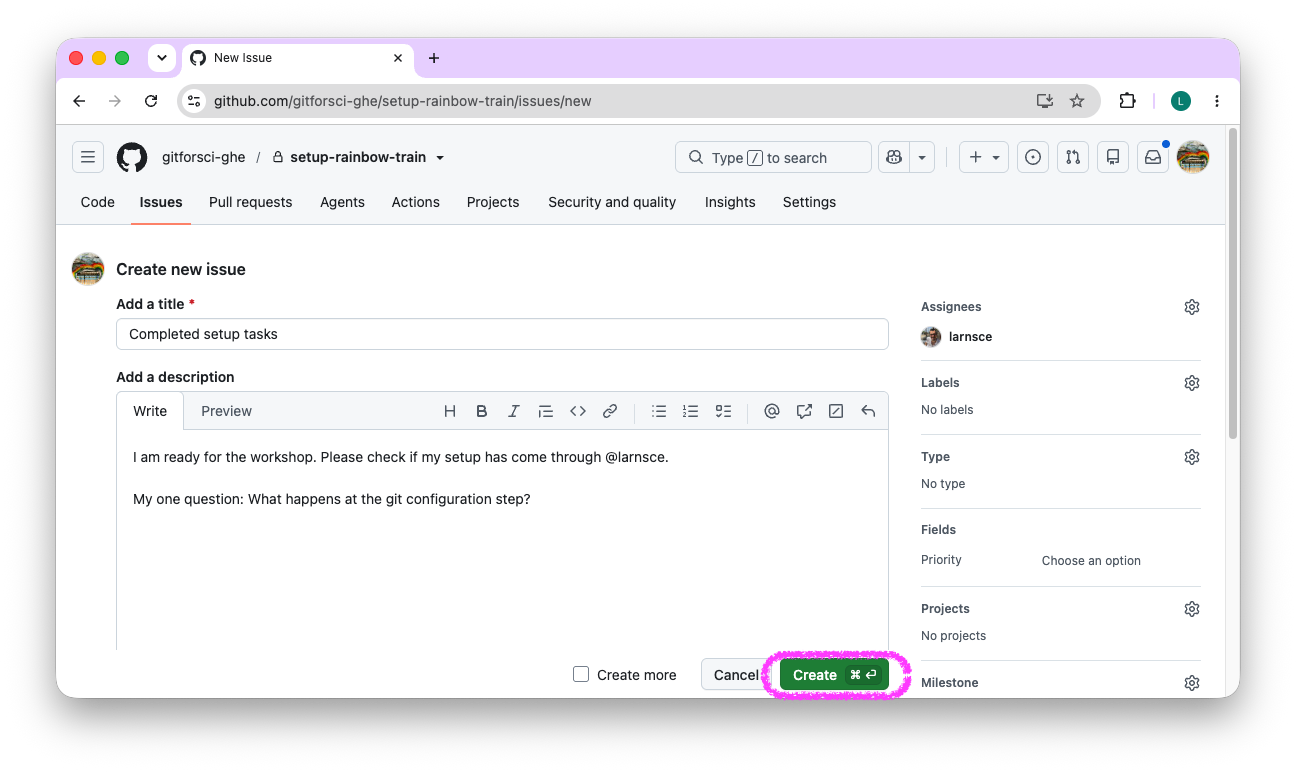
- In the “Add a title” field, write: “Completed setup tasks”. You can add a short description too, for example a question you would like me to look at.
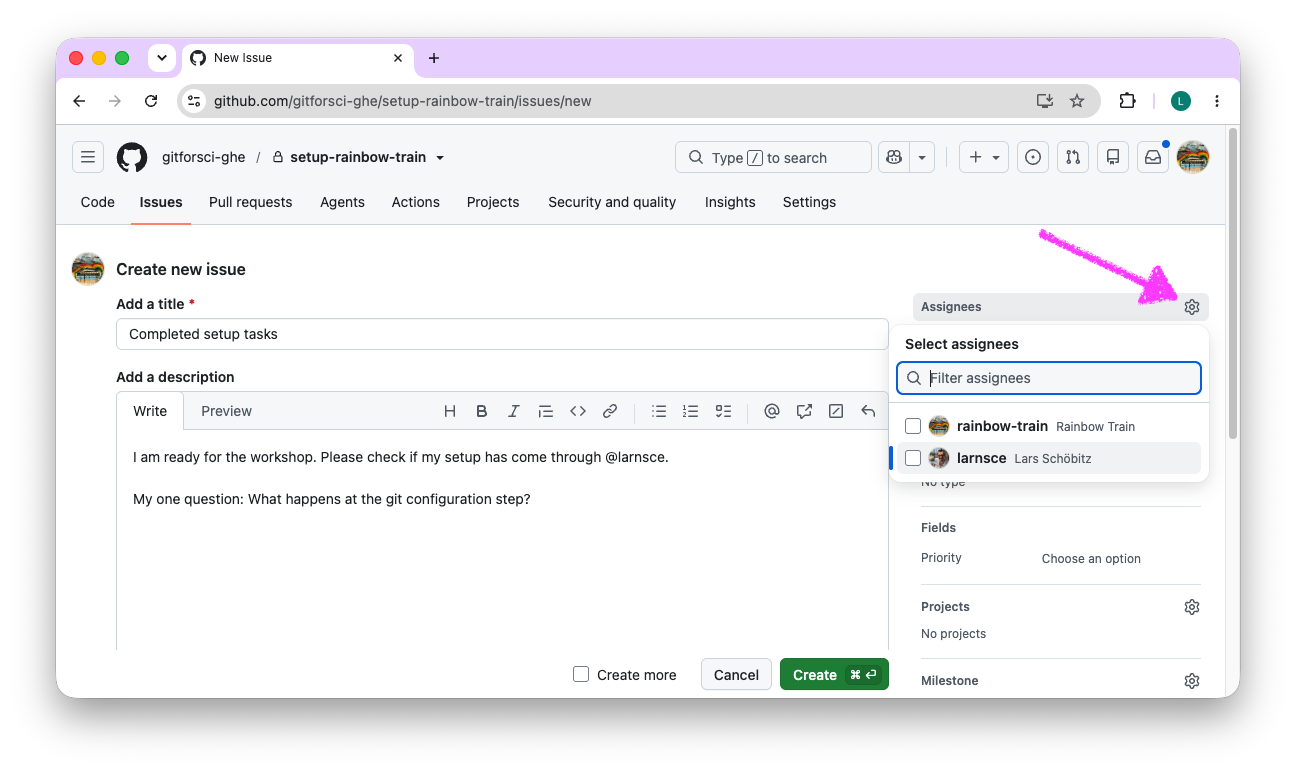
- On the right, click the gear next to “Assignees” and select the course instructor
larnsce.
- Confirm that
larnscenow appears in the Assignees field, then click the green “Create” button. Assigning me the issue notifies me the same way a mention does; treat an assigned issue as a task you hand to me.
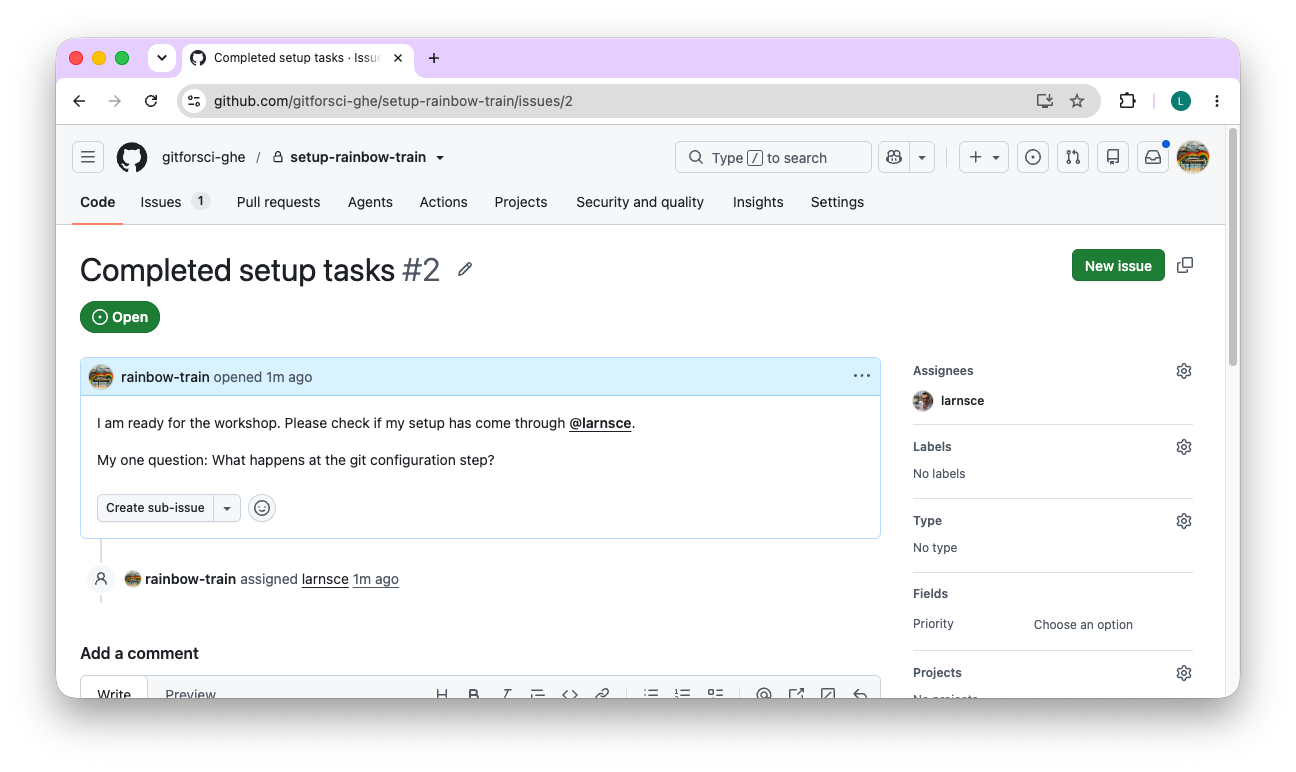
- Your issue is created. It is now open and assigned to
larnsce.
Congratulations! Your setup is complete and you have mastered the key steps of using Git and GitHub. Now onto some important reading and I will see you in class.